Google Keep – Notes and lists
Google LLC
Mar 20, 2013
May 19, 2025
24.92 MB
Varies with device
Varies with device
1,000,000,000+

Description
Google Keep APK – Your Ultimate Note & List Manager
In today’s fast-paced world, keeping track of tasks, ideas, and reminders is essential. Google Keep stands out as a lightweight, versatile note-taking app that helps you stay organized on the go. With the Google Keep APK, you can install the latest version directly on your Android device, even if it’s not available in your region or on the Play Store.
Whether you need to jot down quick thoughts, create shared to-do lists, or set time-sensitive reminders, Google Keep delivers a seamless experience with powerful features like color-coded labels, voice notes, and cross-device sync.
Key Features of Google Keep APK
Quick Notes & Checklists
Instantly capture ideas, bullet points, and shopping lists. Use checkboxes to track progress on your tasks.Color-Coded Labels & Pins
Organize notes by color or label, and pin important ones to the top for fast access.Voice Memos & Image Notes
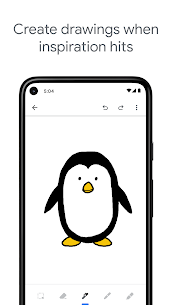
Record on-the-fly voice notes that Google Keep transcribes automatically, or snap photos and annotate them.Reminders & Time/Location Alerts
Set date/time or location-based reminders so you never miss a meeting or forget to pick up groceries.Collaborative Workspaces
Share notes and lists with family, friends, or colleagues—everyone sees updates in real time.Cross-Device Sync
Access your notes on any device—Android phone, tablet, or desktop—through your Google account.Widget & Offline Support
Use the home-screen widget for quick note creation. Edit and view notes offline; changes sync when you’re back online.
Why Choose Google Keep APK?
Google Keep combines the simplicity of sticky notes with the power of modern productivity tools. Unlike bulky apps, Keep launches quickly and keeps your data at your fingertips. Its intuitive interface, coupled with robust syncing and collaboration features, makes it ideal for:
Busy Professionals needing synchronous access to meeting notes and project checklists.
Students capturing lecture highlights, assignment to-dos, and study schedules.
Families coordinating shopping lists, chore assignments, and meal plans.
Creatives saving inspirational ideas, photo references, and voice recordings.
The APK version ensures you can install Google Keep on any compatible Android device without Play Store constraints, giving you immediate access to the newest enhancements and bug fixes.
How to Install Google Keep APK
Download the Google Keep APK file from a trusted source.
Enable “Install from Unknown Sources” in your Android Settings > Security.
Tap the downloaded APK file and follow the prompts to install.
Open Google Keep, sign in with your Google account, and start capturing your ideas!
Final Thoughts
Google Keep APK is a must-have tool for anyone who values productivity and organization. With its minimalist design, powerful note-taking capabilities, and seamless collaboration, Keep helps you capture and manage your thoughts effortlessly.
Download Google Keep APK today and transform your Android device into a hub for notes, lists, reminders, and inspiration—always within reach and perfectly in sync.
Download links
How to install Google Keep - Notes and lists APK?
1. Tap the downloaded Google Keep - Notes and lists APK file.
2. Touch install.
3. Follow the steps on the screen.
What's new
* Bug fixes and performance improvements
Images